How do CoDrone EDU Kits Improve Coding and STEM Lessons?
6th May 2026
CoDrone EDU kits improve coding and STEM lessons by turning code into something students can see, test, and improve in real time. Instead of watching commands run on a screen, students write code, send it to a flying system, and immediately see the result. From what we’ve seen in classrooms, that single shift changes how students understand logic, problem-solving, and engineering.
At Geyer Instructional, we’ve worked with teachers who wanted students to do more than complete coding exercises. They wanted students to ask better questions, test their own ideas, and learn through real feedback. That’s exactly what happens when coding moves from a screen into physical space. Students stop asking, “What comes next?” and start asking, “Why didn’t that work?” That’s where real STEM learning begins.
What Makes Drone-Based Coding More Effective Than Screen-Based Lessons?
Screen-based coding platforms still play an important role in STEM learning. They help students understand loops, sequences, conditions, and variables. However, in our classroom testing, we noticed that many students could write the code but struggled to explain what that code was actually doing in the real world.
That changed when students began working with Codrone EDU coding activities. The moment a piece of code controls something that moves in real space, learning becomes more meaningful. A wrong timing value doesn’t just create an error on a screen. It changes the drone’s movement. A missing command doesn’t just fail silently. It changes the entire flight path.
That kind of immediate feedback helps students understand both logic and consequence. Instead of memorizing commands, they begin thinking like engineers who test, observe, and improve.
Why does physical movement make coding easier to understand?
When students can see code create motion, abstract programming concepts become easier to understand. They no longer have to imagine what a loop or condition does. They can watch it happen right in front of them.
We’ve seen students catch mistakes faster, ask better questions, and become more confident simply because the feedback is physical, visible, and immediate.
How Does a Drone Turn Coding Into Real Problem Solving?
Real engineering doesn’t happen when everything works the first time. It happens when something fails, and students have to figure out why. That’s why flight-based coding creates such strong learning opportunities.
When students work with an edu drone, every line of code creates a visible result. A small timing mistake might make the drone turn too early. A wrong angle may send it off course. A missing variable may cause it to stop before reaching its target.
Instead of seeing failure as a mistake, students begin seeing it as useful information. They test a flight path, observe what happened, adjust the code, and test again. That cycle builds real problem-solving habits.
Why does flight create better debugging habits?
We’ve noticed that students debug faster when they can physically see the results of their code. They don’t need someone to point out what went wrong. The drone shows them.
That visible feedback creates stronger independent learning. Students begin testing ideas on their own instead of waiting for instructions.
How Does CoDrone Teach Real Autonomous Systems?
One of the biggest advantages of drone-based learning is that students begin understanding how autonomous systems actually work. Modern robotics follows a simple pattern: sense, process, and act.
That same process becomes easy to teach through a programmable drone for classroom lesson. The drone collects information through its sensors, the program reads that data, and then the drone responds based on the code students wrote.
For example, a student might program the drone to sense the floor below, process the distance data, and automatically adjust motor speed to stay at one meter above the ground.
That’s not just coding. That’s autonomous decision-making.
Why does this matter beyond STEM class?
The same logic students learn here appears in self-driving vehicles, warehouse robotics, industrial automation, and smart manufacturing systems. By understanding this process early, students build a foundation that connects directly to real engineering careers.
What Sensors Do Students Actually Use?
Many students begin by thinking they’re simply flying a drone. Very quickly, they realize they’re working with a flying sensor system.
That’s what makes it a true coding drone for students rather than a basic classroom gadget. Students can work with motion sensors, altitude sensors, optical positioning systems, and range sensors; all while writing code that responds to live data.
For example, students might write a program that tells the drone to descend if it rises above a certain height. They may create a condition that stops flight when a specific color is detected. They can even build automatic landing routines based on battery data.
These are the same coding principles used in modern autonomous technology. The difference is that students can see those systems working in real time.
Why Does RF Pairing Matter in Busy STEM Labs?
This is something many online articles skip, but in our experience, a classroom setup often creates bigger problems than coding itself.
Teachers may have thirty students ready to work, but if devices struggle to connect, valuable learning time disappears. That’s why connectivity matters just as much as programming features. A reliable educational drone kit should connect quickly, stay stable, and work in crowded classroom environments. That’s where RF pairing makes a major difference.
Unlike traditional Wi-Fi connections, dedicated RF pairing avoids network congestion. Students connect faster, signals stay stable, and classes can begin almost immediately. In our own classroom testing, we’ve seen large groups move from setup to flight in under a minute. That creates smoother lessons and far less frustration.
How Do Students Move from Blockly to Python?
Students learn best when they build skills step by step. That’s why we always recommend systems that support both visual programming and text-based coding.
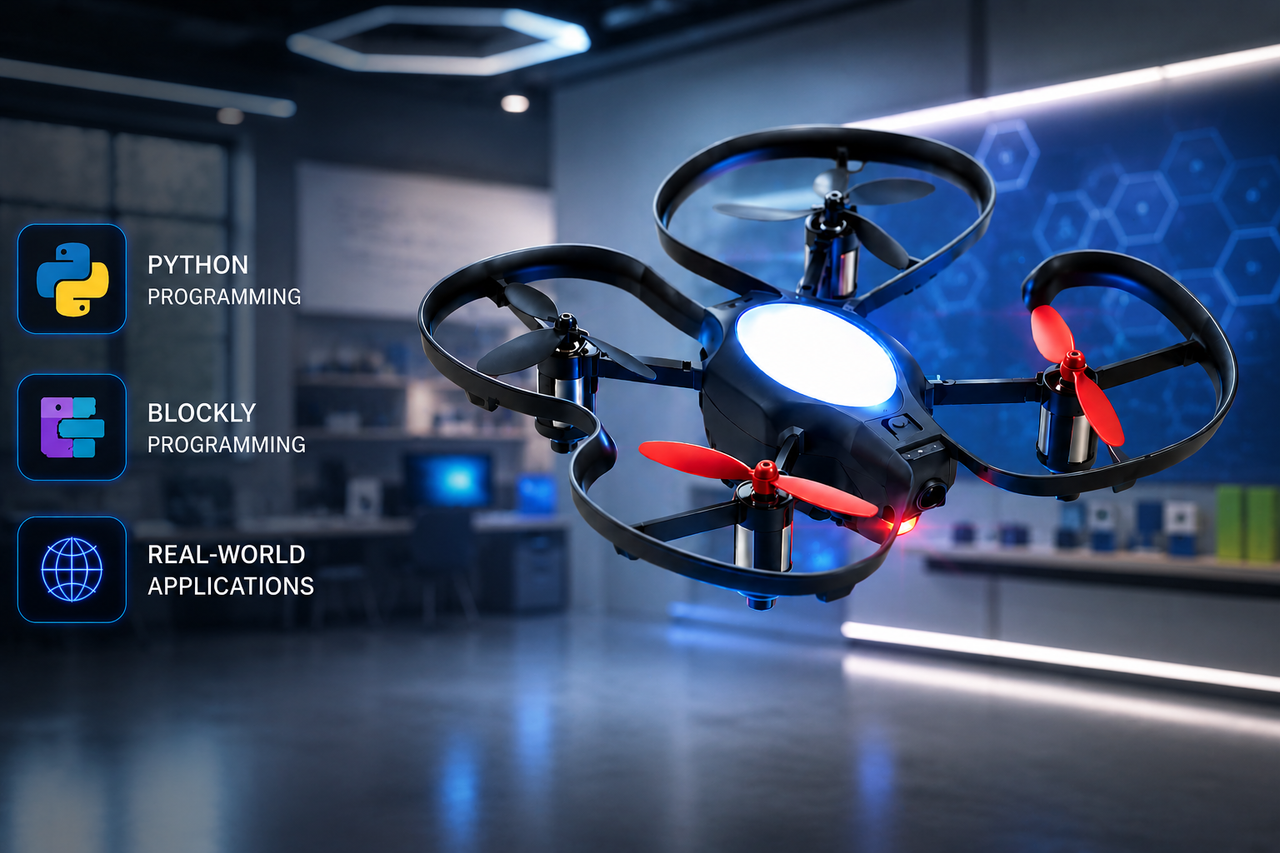
A quality classroom drone kit allows beginners to start with Blockly, where students drag and drop commands to build logic. They learn loops, conditions, timing, and sequencing without worrying about syntax.
As their confidence grows, students naturally move toward Python.
That’s where a Python coding drone becomes especially valuable. Instead of rebuilding everything from scratch, students apply the same logic they already understand, but now through real code. We’ve seen middle school students begin with simple hover routines and later write autonomous flight programs by the end of a semester. That kind of progression builds both skill and confidence.
What Makes Educational Drones Better Than Consumer Drones?
Teachers often ask whether regular consumer drones can deliver the same learning experience. From what we’ve seen, the answer is usually no.
Consumer drones are built for entertainment. Classroom systems are built for repeated testing, structured lessons, and safe student use.
That’s why a true drone for STEM education looks very different.
|
Feature |
Consumer Drone |
Classroom Drone |
|---|---|---|
|
Connectivity |
Wi-Fi |
Dedicated RF |
|
Coding |
Limited apps |
Blockly + Python |
|
Safety |
Basic controls |
Guards + emergency stop |
|
Repairability |
Often sealed |
Replaceable parts |
|
Curriculum |
Minimal |
Standards aligned |
Those differences matter because schools need tools that can support long-term learning, not short-term excitement.
How Do Drone Kits Support Future STEM Careers?
Coding drones do more than teach flight. They help students build technical thinking, systems logic, teamwork, and confidence.
That’s why many schools now include a STEM drone for schools as part of larger engineering pathways. Students learn how sensors work, how autonomous systems make decisions, and how data affects movement.
More importantly, they begin seeing how classroom projects connect to real careers in robotics, automation, aerospace, and engineering.
How Do We Build Trust With Classroom-Tested Drone Systems?
Trust doesn’t come from product features alone. It comes from seeing hardware survive real classroom use. Students crash. That’s part of learning. What matters is whether the system can recover and whether learning can continue.
We never recommend systems that fail after one mistake. Parts should be replaceable. Frames should be repairable. Motors should be easy to service.
That’s one of the same principles we discussed in The Ultimate STEM Robotics Guide for 2026 Classrooms. The best classroom technology doesn’t just work during perfect lessons. It works during real ones.
FAQs
How do you pair CoDrone EDU?
To pair CoDrone EDU, students first power on the drone and controller, then complete the RF pairing process through the classroom software. In most classroom setups, the connection takes less than a minute and stays stable throughout the lesson.
How do students fly CoDrone EDU safely?
Students usually begin with low-altitude hover exercises before moving into full flight routines. Built-in prop guards and emergency stop controls help teachers create a safe indoor learning environment while students build confidence.
How do you update CoDrone EDU?
Firmware updates are completed through RoboLink software using a USB connection. Teachers can connect the drone, check for available updates, and install the latest version before classroom use.
Can beginners learn Python with CoDrone?
Yes, and that’s one of the biggest strengths of the platform. Most students start with Blockly to learn logic, then transition into Python once they feel comfortable with loops, conditions, and variables.
Is CoDrone useful for competitions?
Yes. The same programming, flight control, and sensor-based logic students practice in class can be applied in aerial robotics competitions, STEM clubs, and advanced engineering programs.
 Recently Viewed