

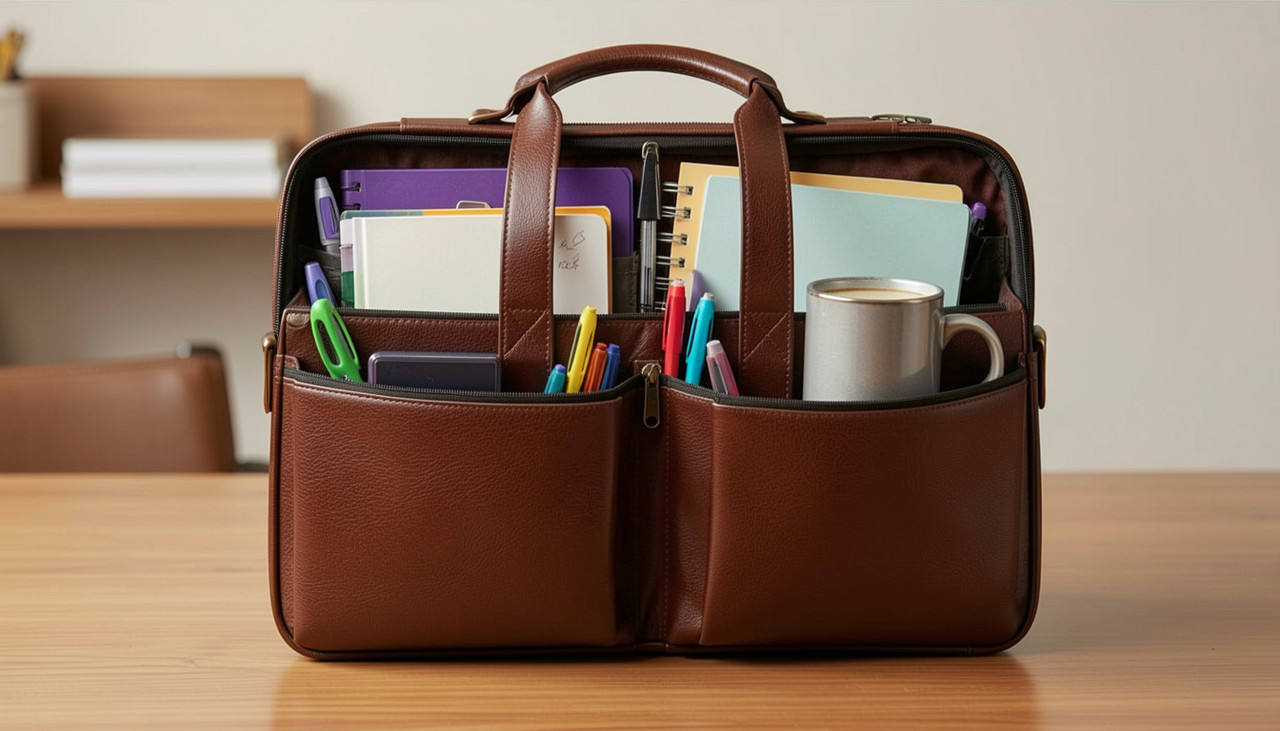
The Teacher's Loadout: What's Actually in a Great Teacher's Bag
24th Jul 2026
A great teacher's bag is not about looks. It is about function. Teachers consistently say that organization is one of the most important features in a backpack. Best backpacks for teachers are the ones that keep every tool in its place, so nothing gets lost during a busy school day.
After working with educators for decades, we've learned that the most effective teacher bags aren't necessarily the most expensive; they're the ones that keep essential classroom tools organized and easy to access.
What Is the Best Backpack for Teachers?
A great teacher backpack is a bag built with separate zones for tech, paperwork, and personal items, so a teacher never has to dig around to find what they need. It is not about brand names. It is about a smart organization that holds up to daily use.
Teachers carry more gear than most office workers. A bag needs to handle laptops, folders, markers, and snacks without turning into a jumbled mess by third period.
Features to Look for in the Best Teacher Backpack
Before you fill a bag with zones and gear, the bag itself has to hold up its end of the deal. Here is what actually matters when comparing options.
- Compartment count and layout
More pockets is not automatically better. What matters is whether the layout matches how you actually work. Look for a dedicated padded laptop sleeve, a separate section built for folders and files, and smaller pockets sized for pens, chargers, and markers instead of one giant open interior. The right number of purpose-built compartments is what makes a zone system possible in the first place. - Material and durability
Teacher bags take more daily abuse than the average commuter backpack: floor drops, desk corners, spilled coffee, kids grabbing at zippers. Look for a tough, tightly woven fabric (600D polyester or higher is a common benchmark) and a water-resistant coating, so a spilled water bottle does not reach your laptop or paperwork. - Zipper and stitching quality
This is where cheap bags fail first. Reinforced stitching at stress points, like corners and strap attachments, plus metal or heavy-duty zipper pulls, will outlast a semester of daily use. If a zipper feels flimsy in the store, it will not survive September. - Comfort for all-day wear
Teachers are on their feet and moving between rooms all day, so padded, adjustable shoulder straps and a padded back panel matter more than they would for an occasional-use bag. That movement adds up fast: a 2025 Education Week analysis of educators' fitness-tracker data found teachers logged an average of more than 8,500 steps, or roughly 1.6 miles, over the course of a school day. A sternum strap or hip belt is a bonus for anyone carrying a heavier laptop-plus-supplies load over that kind of daily mileage. - Size and capacity
The bag should be big enough to fit a laptop, folders, and a lunch bag, but not so large that it becomes unwieldy in tight classroom aisles or crowded hallways. A mid-size bag in the 20 to 30 liter range tends to hit that balance for most teachers. - Weight of the empty bag
A heavy-duty bag that already weighs a lot before you pack it will wear on your shoulders by the end of the day. Look for a bag that balances sturdy materials with a reasonably light empty weight. - Easy-access pockets
A quick-grab exterior pocket for a badge, phone, or keys saves you from digging through the main compartment every time you need to unlock a door or scan into the building.
With those features in place, the bag can actually support the zone system below. Otherwise, you are just organizing your gear inside a bag that will not survive to see winter break.
The Core Ecosystem: Category Breakdown
A teacher backpack works best when it is split into clear zones. Dumping everything into one deep pocket is how you lose your favorite dry-erase marker right when you need it mid-lesson.
Here is how we think about it.
The Teacher's Bag Command Center
- Zone 1, Tech and Instruction. This holds your laptop or tablet, your clicker, adapter dongles, and your dry-erase markers.
- Zone 2, The Workflow Hub. This holds your color-coded folders, your grade book, and a stapler.
- Zone 3, Personal Survival. This holds snacks, a backup charger, and a stain remover pen.
Zone 1, Tech and Instruction
This zone keeps your teaching tools ready to go. Your laptop or tablet powers your lessons. A clicker lets you control your slides from anywhere in the room. Adapter dongles save you when the classroom setup does not match your device. And a fresh set of dry erase markers means your board stays clear and easy to read.
Zone 2, The Workflow Hub
This is where your paperwork lives. Color-coded folders keep permission slips, homework, and notes separate so nothing gets mixed up. A gradebook or a notes notebook (if your school uses digital grading) keeps your records close at hand. A stapler handles thick packets without jamming halfway through.
Zone 3, Personal Survival
Teaching is physically demanding. This zone covers the basics that keep you going: snacks for energy, a backup charger for your phone, and a stain remover pen for the coffee spill that always seems to happen right before first period.
The Anatomy of a Great Teacher's Loadout
A bag for teachers earns its keep through the tools it carries every single day. Below is a quick breakdown of the items that seasoned teachers never leave behind.
| Gear Category | The Essential Tool | Why It's Non-Negotiable in the Classroom |
|---|---|---|
| Instructional Tech | Interactive display tools | Keeps you moving around the room to manage behavior instead of being tethered to your projector desk. |
| Hardware Prep | Multi-Port AV Adapter Dongle | School AV inputs vary wildly. Carrying an HDMI-to-USB-C/VGA adapter helps ensure your device connects to a variety of classroom displays. |
| Classroom Management | Classroom Whiteboard Essentials | Keeping a fresh set of quality dry-erase markers helps ensure students can clearly read your board. |
| Workflow Logistics | Color-Coded Expanding File Jacket | Prevents incoming homework sheets, permission slips, and IEP notes from crumpling or getting mixed up. |
| Emergency Repair | Portable Stain Remover & Tape | Essential for treating desk coffee spills or repairing a torn classroom poster on the fly. |
How to Choose the Best Teacher Backpack
The best teacher backpack comes down to three things: enough compartments, a sturdy build, and comfort for all-day wear. Skip anything that looks nice but falls apart after one semester.
Teacher Backpack with Laptop Compartment
A teacher backpack with a laptop compartment protects your device between classrooms. Look for a padded sleeve and a spot for your charging cable, so your laptop stays safe when you are rushing between periods.
Teacher Backpack with Lunch Compartment
A teacher's backpack with a lunch compartment keeps your food away from your gradebook/ notes notebook and your laptop. An insulated pocket that sits apart from your tech and paper zones stops spills before they ruin your day.
Structural Strategy: Digital vs. Analog Organization
Good teacher bags balance digital tools with analog ones. Relying on just one system usually backfires when the WiFi goes down or your laptop battery dies.
The Analog Workflow Advantage
Digital spreadsheets work great for long-term records. But a physical planner lets you jot down a quick note about a student, change your lesson plan on the fly, or track hall passes without opening your laptop.
The Digital Backup Strategy
Never trust just one device to hold your work. Back up your lesson plans, worksheets, and seating charts on a cloud drive. Consider keeping important files backed up in cloud storage, and if your district allows, carry a USB drive as an additional backup.
Step by Step, Prepping Your Sunday Night Command Center
The best work bags for teachers' routines start the night before. Building a simple Sunday routine cuts down on morning stress all week long.
- Purge accumulated paper clutter. Empty your bag onto a table. Sort through old sticky notes, graded quizzes, and broken pencils. Toss the trash and file away anything that needs to be kept.
- Charge devices and power banks. Plug in your laptop, tablet, and clicker. Drop a fully charged portable power bank into your tech pouch so you never run low during a field trip.
- Restock essential consumables. Check your pen pouch. Swap out dry markers for new ones. Refill your mechanical pencils. Toss in a fresh pack of stickers or stamps for rewards.
- Pack emergency energy rations. Restock your snack pouch with shelf-stable bars, hydration packets, and throat lozenges to help your voice hold up through six periods of teaching.
A trick many veteran teachers swear by is keeping a small "Student Emergency Supply" baggie inside the main bag. Three cheap pencils, a few index cards, and a spare eraser mean you never have to stop your lesson because a student forgot their pencil.
Common Mistakes Teachers Make With Their Bags
The biggest mistake is treating a teacher bag like one giant catch-all pocket. This makes it nearly impossible to find anything fast when class is already moving.
- Overpacking with items you rarely use.
- Skipping a padded laptop sleeve, which leads to cracked screens.
- Relying only on digital files with no backup plan.
- Mixing food and paperwork in the same pocket.
Teacher Backpack Checklist
Print this out or screenshot it, and use it as a quick gut-check before you buy a bag and every time you restock it.
Before you buy: does the bag itself hold up?
- Padded, adjustable shoulder straps (and a padded back panel)
- Dedicated padded laptop sleeve
- Separate section for folders and files
- Small, purpose-built pockets for pens, chargers, and markers
- Tough, tightly woven fabric (600D polyester or higher) with a water-resistant coating
- Reinforced stitching at corners and strap attachments
- Metal or heavy-duty zipper pulls
- Reasonably light empty weight for its size
- 20–30 liter capacity, or sized to fit your daily load
- Quick-grab exterior pocket for a badge, phone, or keys
Zone 1: Tech and Instruction
- Laptop or tablet
- Presentation clicker
- AV adapter dongle(s)
- Fresh dry-erase markers
Zone 2: The Workflow Hub
- Color-coded folders
- Gradebook or notes notebook
- Stapler
Zone 3: Personal Survival
- Snacks
- Backup charger or power bank
- Stain remover pen
Sunday Night Reset
- Empty the bag and purge paper clutter
- Charge devices and power banks
- Restock pens, markers, and pencils
- Pack emergency snacks
- Refill the "Student Emergency Supply" baggie (pencils, index cards, spare eraser)
FAQs
What are the best teacher bags for laptops and school supplies?
The best bags have a padded laptop sleeve, a separate section for folders and paper, and small pockets for pens, chargers, and markers. This setup keeps your tech safe while your paperwork stays organized.
What are the best teacher bags or backpacks for carrying school essentials?
Bags with clear zones for tech, paper, and personal items work best. This way, everything has its own spot, and you are not digging through one pocket to find a stapler.
How to Choose the Best Teacher Backpack?
Look for enough compartments to separate your gear, a sturdy build that survives daily wear, and padded straps for comfort. Test how it feels loaded, not empty, before you commit to one.
How much should a teacher spend on a good backpack?
Many quality teacher backpacks cost between $50 and $120, though the best choice depends on your budget and daily needs. Spending a bit more upfront often saves money later, since a well-built bag lasts several school years instead of wearing out in one.
Can one bag work for both daily commuting and classroom supplies?
Yes, as long as it has enough separate compartments. A bag with a laptop sleeve, file section, and small pockets for personal items can handle your commute and your classroom needs in one trip.
 Recently Viewed